LDAP
You can use an LDAP server to authenticate and autocreate Group-Office users and e-mail accounts.
Install
- Install the ldapauthenticator module at Start menu -> Modules
- Reload Group-Office
Configure
Go to System Settings -> Authentication
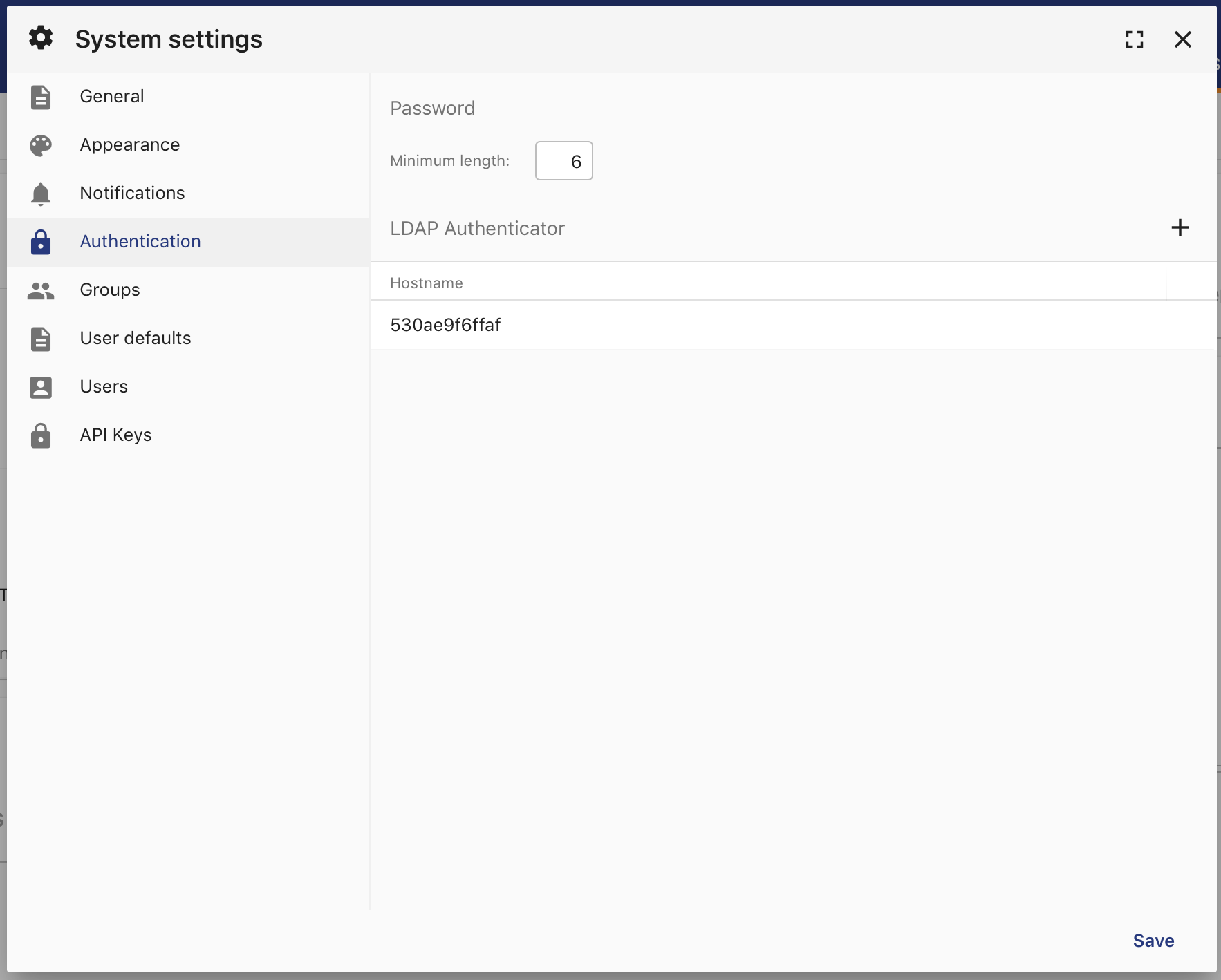
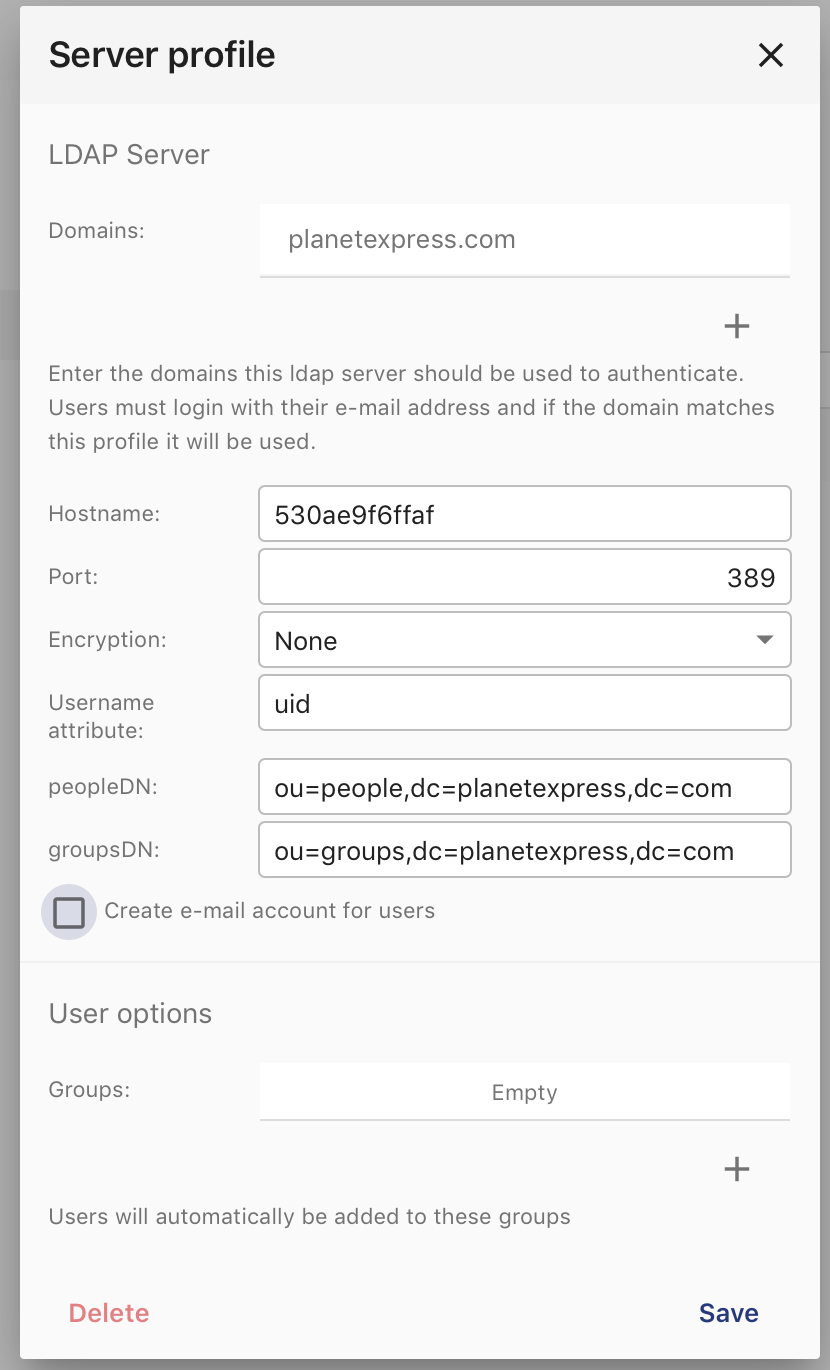
There’s a new section for LDAP server profiles. Click on the add button to add a profile. Enter the LDAP server details and domains. The domains are important because users need to login with <LDAPUSER>@<DOMAIN> to trigger the LDAP authenticator.
Now check if you can login with the LDAP domain:
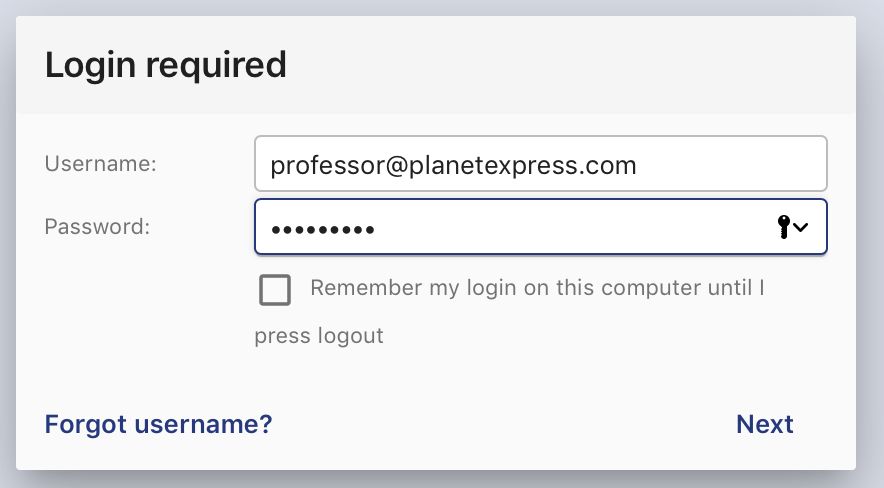
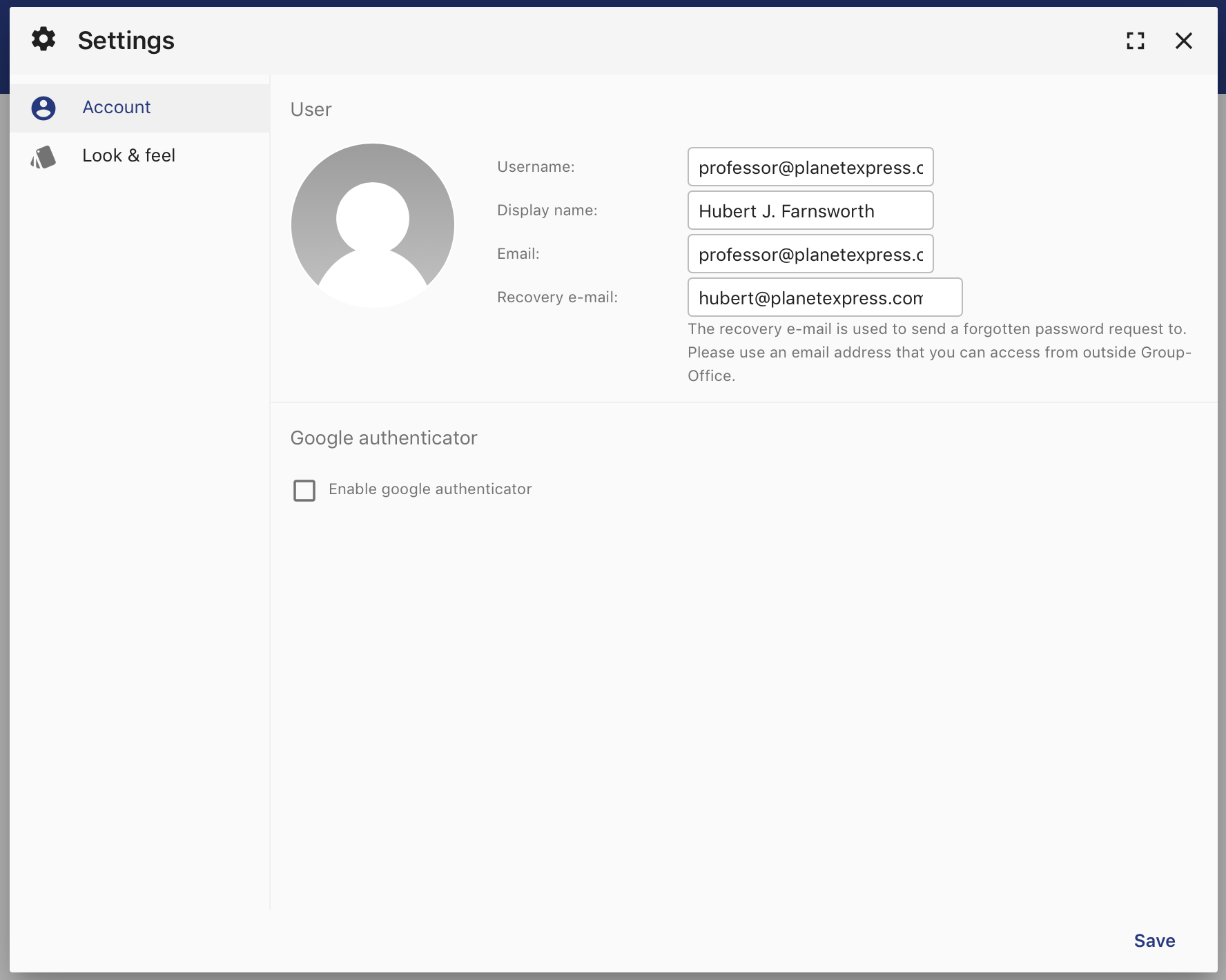
It should autocreate the LDAP user. In the user settings it won’t be possible to change the password as that’s not supported yet:
Test environment
For testing I’ve used this docker image: https://hub.docker.com/r/rroemhild/test-openldap/
docker pull rroemhild/test-openldap
docker run --privileged -d -p 389:389 rroemhild/test-openldap